
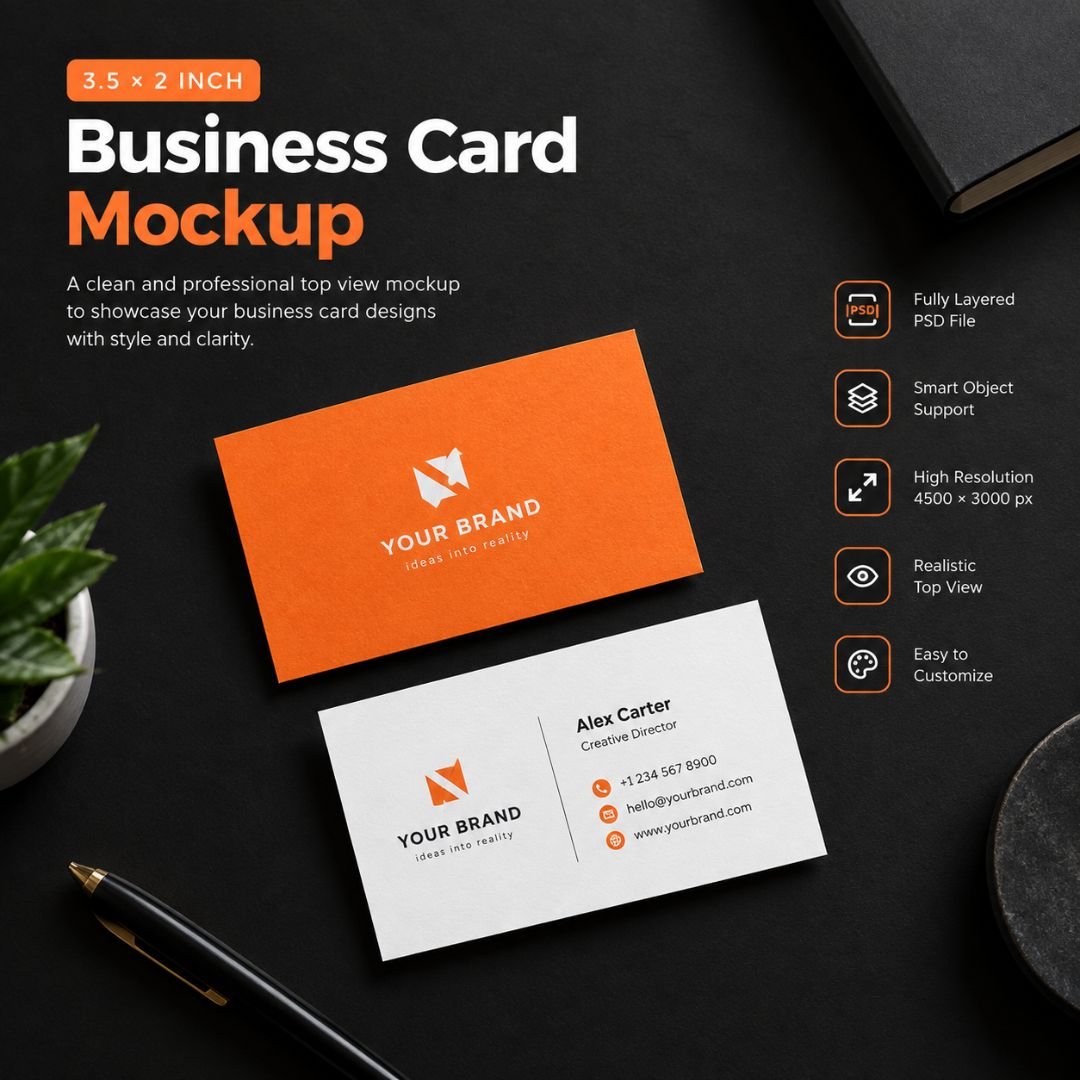
3.5×2 Business Card Mockup – Top View
Present your business card designs in a clean and professional setting with this 3.5×2 Business Card Mockup.
Designed from a top-down perspective, the mockup places your business card design against a sleek black matte surface, creating a strong contrast that keeps your artwork clear and visually appealing.
Whether you’re presenting a new brand identity, showcasing client work, or creating promotional graphics for your portfolio, this mockup provides a realistic presentation without requiring you to photograph a physical business card.
What’s Included
- Fully layered PSD mockup
- Smart Object functionality
- High-resolution 4500 × 3000 px file
- 3.5 × 2 inch standard US business card proportions
- Photorealistic top-view scene
- Isolated shadow layer
- Separate background elements
- Ready-to-customize presentation
Key Features
High-Resolution Presentation
With a resolution of 4500 × 3000 pixels, the mockup provides plenty of detail for professional presentations, portfolio projects, website graphics, and marketing materials.
Smart Object Support
Replace the placeholder design quickly using Photoshop’s Smart Object feature. Simply insert your business card artwork and the mockup will automatically adapt it to the scene.
Professional Top-View Layout
The overhead composition keeps your business card completely visible and easy to examine, making it ideal for showcasing typography, logos, colors, and other branding details.
Photorealistic Scene
Realistic lighting and isolated shadows give your design a polished presentation while maintaining a clean and minimal appearance.
Easy Customization
Change the business card artwork, background elements, and other editable components to create a presentation that matches your project.
Perfect For
This mockup is suitable for:
- Business card designs
- Brand identity presentations
- Corporate stationery
- Personal branding projects
- Freelancer portfolios
- Agency presentations
- Client presentations
- Graphic design portfolios
- Marketing materials
- Stationery showcases
How to Use
- Open the PSD file in Adobe Photoshop.
- Locate the Smart Object layer.
- Double-click the Smart Object thumbnail.
- Replace the placeholder artwork with your business card design.
- Save the Smart Object.
- Return to the main mockup file.
- Your design will appear automatically within the scene.
- Export the final presentation in your preferred format.
Technical Details
| Specification | Details |
|---|---|
| File Format | PSD |
| Resolution | 4500 × 3000 px |
| Card Size | 3.5 × 2 inches |
| Orientation | Top View |
| Editing | Fully Layered |
| Smart Objects | Included |
| Background | Editable |
| Shadows | Isolated |
| Software | Adobe Photoshop |
Important
This product is a PSD mockup template. You will need compatible image-editing software, such as Adobe Photoshop, to make full use of the layered PSD and Smart Object features.
The product is intended for showcasing your own business card and stationery designs. It does not include a physical business card.
Create polished, realistic business card presentations without setting up a physical photoshoot.
Nitin Goyal –
A helpful mockup for presenting a business card design.
Shalini Prasad –
The top-view presentation makes a design preview look neat.
Akhil Menon –
Useful for showing a business card concept in a portfolio.
Jaya Narang –
A straightforward mockup for showcasing card artwork.
Hemant Tripathi –
Good for creating a clean preview of a business card design.